Open your PDF
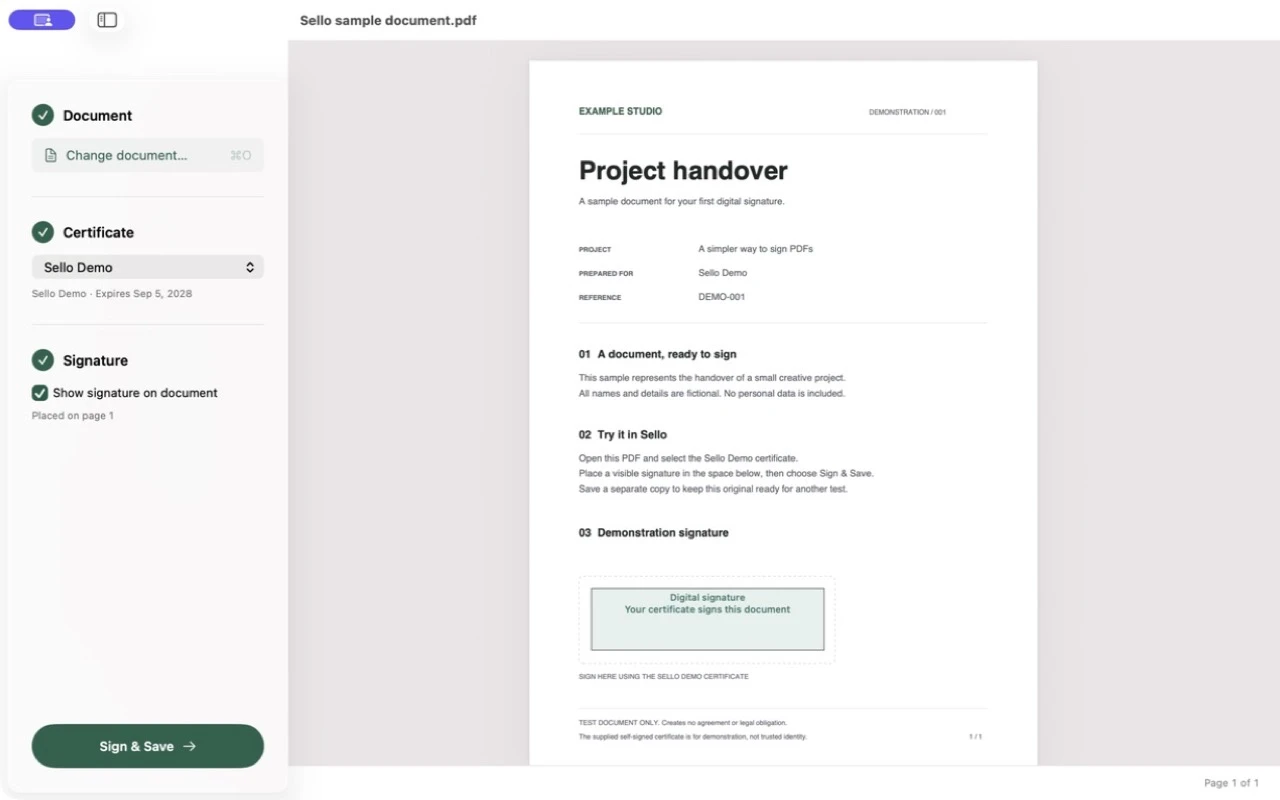
Drop it into Sello or choose it from Finder. You can add a signature to an already signed document when its permissions allow it.
 Sello
Sello
macOS · PDF
Sign PDFs with your digital certificate in macOS Keychain. Open the document, place your signature, and save.
Apple Silicon · macOS Tahoe 26 or later
Your PDFs stay with you.
Your private key stays in Keychain.
€5. No subscription.
How it works
Drop it into Sello or choose it from Finder. You can add a signature to an already signed document when its permissions allow it.
Select a certificate with its private key in Keychain. Place a visible stamp, or sign without one.
Choose a destination and approve key access if macOS asks. Your document is signed locally.
Sello does not upload your documents, export your private keys, or require a Sello account. Signing and integrity checks happen on your Mac.
Yes. We have tested FNMT software certificates installed in Keychain. You need both the certificate and its private key. DNIe, smart cards and other hardware tokens have not been validated.
Sello signs local PDF files. It does not handle afirma: links or integrate with web procedures that require AutoFirma. It also does not sign standalone XAdES or CAdES files.
PAdES Baseline B-B PDF signatures. It checks local integrity and preserves already signed bytes when adding another signature. It does not obtain trusted timestamps or fetch revocation information or EU trusted lists.
Acceptance depends on the procedure and its requirements. Tested documents could be inspected in AutoFirma and several passed VALIDe. These results do not guarantee acceptance everywhere.
An Apple Silicon Mac running macOS Tahoe 26 or later. This first release does not support Intel Macs. Encrypted PDFs are not supported.
Certificate setup, questions, or trouble signing a document.
contact@negativeepsilon.com